Received Stamp — Free Template (PNG)
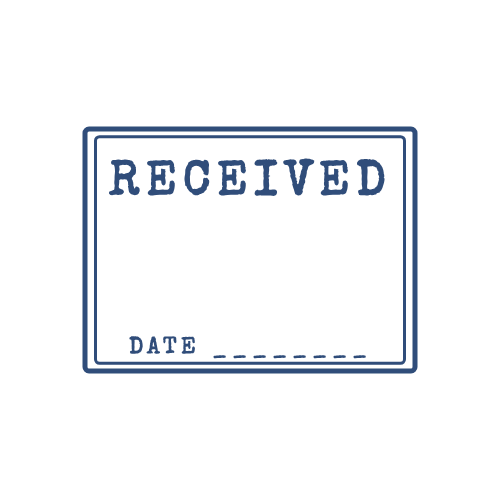
A free RECEIVED stamp for incoming mail, deliveries and documents. Download a transparent PNG and log the date something arrived.
Download this PNG
Transparent PNG, 500 × 500 px. Free for personal and commercial use — no signup, no watermark.
Why offices stamp incoming post
A received stamp records the day a letter, invoice or parcel arrived. That date matters: payment terms often start on receipt, legal deadlines can run from the date of delivery, and it is the easiest way to prove when you actually got something. Law firms, schools, public offices and accounts payable teams stamp every incoming document for this reason.
How to use a digital RECEIVED stamp
For scanned post, place the stamp in the top margin of the first page and write the date in the space on the bottom line (or type it into the stamp text before downloading). For emailed invoices, stamp the PDF before you file it, so everyone on the team sees when it came in.
Good habits
- Stamp documents on the day they arrive, not later.
- Use the same colour and position every time, so staff recognise it instantly.
- Add initials of the person who logged it if more than one person handles mail.
Frequently asked questions
Should the date be part of the stamp?
If you stamp by hand on paper, leave a blank line and write the date. For digital stamps you can type the date into the bottom text before you download — it only takes a few seconds per document.
Which colour is used for received stamps?
Blue or black are most common. Blue is easier to tell apart from the printed letter on a scan.
More stamp templates




Related guides
- How to Add a Stamp to a PDF (Free, 4 Ways)
Step-by-step: put a stamp image on any PDF for free with Adobe Acrobat Reader, macOS Preview, Microsoft Word or Google Docs. No paid software needed.
- How to Add a Stamp in Word (Every Page or Just One)
Put a stamp image in a Word document: insert it in front of text, keep the transparent background, repeat it on every page with the header, and export to PDF.
- How to Order a Rubber Stamp From Your Own Design
Turn your digital stamp design into a real self-inking or wooden rubber stamp: file formats shops accept, sizes, line thickness, ink colours and what to check before ordering.