Confidential Stamp — Free Template (PNG)
A free CONFIDENTIAL stamp for sensitive documents, contracts and HR files. Download as a transparent PNG and mark files before you share them.
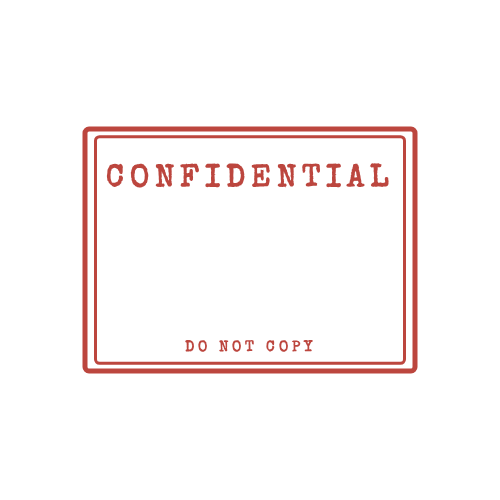
Download this PNG
Transparent PNG, 500 × 500 px. Free for personal and commercial use — no signup, no watermark.
What "confidential" signals
Marking a document confidential tells readers it is not meant for general distribution. It is common on salary and HR records, draft contracts, business plans, medical and legal correspondence, and anything shared under a non-disclosure agreement. The mark doesn't secure the file by itself, but it removes any doubt about how it should be treated.
Where to place it
Put the stamp on every page, usually at the top or bottom centre, so a single printed page is still clearly marked. In Word you can place the stamp image in the header once and it repeats on every page automatically.
Pair it with real protection
- Password-protect or encrypt the PDF if it contains personal data.
- Share through access-controlled links instead of open attachments.
- Keep a note of who received a copy.
Frequently asked questions
Is a confidential stamp enough to protect a document legally?
No. It's a clear warning and can support an NDA or internal policy, but the protection comes from the agreement and from technical measures like encryption, not from the mark itself.
Can I change the wording?
Yes. Popular alternatives are PRIVATE & CONFIDENTIAL, INTERNAL ONLY and STRICTLY CONFIDENTIAL. Click "Customize this stamp" and edit the text.
More stamp templates




Related guides
- How to Add a Stamp to a PDF (Free, 4 Ways)
Step-by-step: put a stamp image on any PDF for free with Adobe Acrobat Reader, macOS Preview, Microsoft Word or Google Docs. No paid software needed.
- How to Add a Stamp in Word (Every Page or Just One)
Put a stamp image in a Word document: insert it in front of text, keep the transparent background, repeat it on every page with the header, and export to PDF.
- How to Order a Rubber Stamp From Your Own Design
Turn your digital stamp design into a real self-inking or wooden rubber stamp: file formats shops accept, sizes, line thickness, ink colours and what to check before ordering.