Urgent Stamp — Free Template (PNG)
A free URGENT stamp for documents that can't wait. Download a transparent PNG and make time-critical paperwork stand out in any pile.
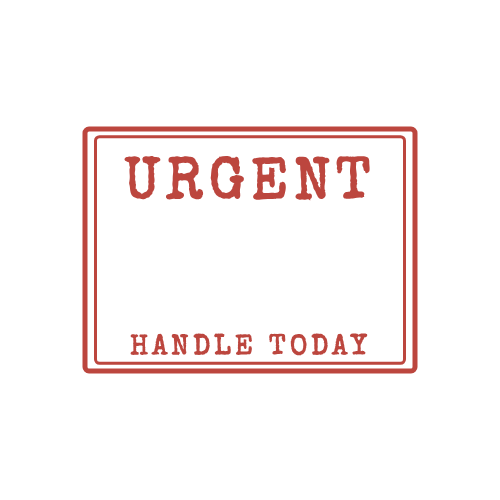
Download this PNG
Transparent PNG, 500 × 500 px. Free for personal and commercial use — no signup, no watermark.
Use it sparingly
An urgent stamp only works if it's rare. If every document is marked urgent, none of them are. Keep it for items with a real deadline: payment reminders close to their due date, signatures needed before a cut-off, or anything blocking someone else's work.
Add the deadline
Urgent for when? Write the actual deadline next to the stamp ("by Friday 12:00") or put it in the bottom text. A concrete date gets faster action than the word urgent alone.
Why red
Red is the universal colour for attention and is the default for urgent stamps. Combined with a thick border it stands out even on a crowded page.
Frequently asked questions
Should I use URGENT or PRIORITY?
Both are common. PRIORITY sounds calmer and suits client-facing documents; URGENT is better for internal paperwork.
Can I make the stamp bigger on the page?
The download is 500 × 500 px. Scale it up or down wherever you place it — in Word, Preview or Acrobat — without re-downloading.
More stamp templates




Related guides
- How to Add a Stamp to a PDF (Free, 4 Ways)
Step-by-step: put a stamp image on any PDF for free with Adobe Acrobat Reader, macOS Preview, Microsoft Word or Google Docs. No paid software needed.
- How to Add a Stamp in Word (Every Page or Just One)
Put a stamp image in a Word document: insert it in front of text, keep the transparent background, repeat it on every page with the header, and export to PDF.
- How to Order a Rubber Stamp From Your Own Design
Turn your digital stamp design into a real self-inking or wooden rubber stamp: file formats shops accept, sizes, line thickness, ink colours and what to check before ordering.